
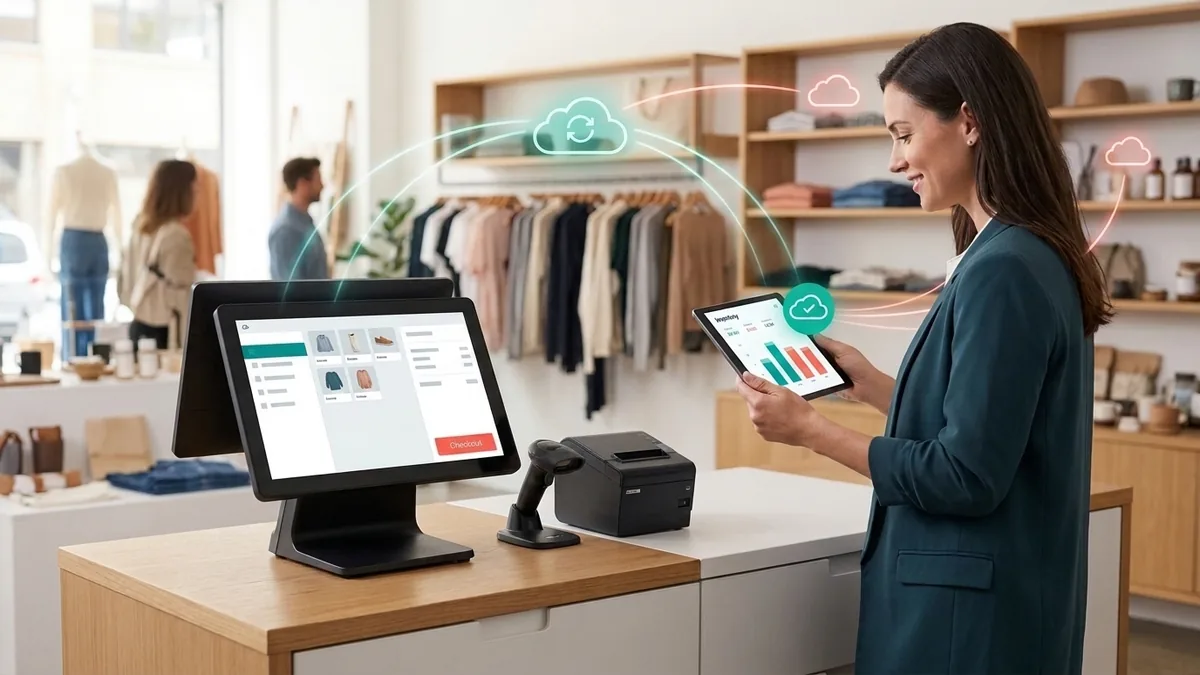
Think of cloud-based POS systems for retail like mobile banking for your shop. Instead of locking your prices, daily bills, and stock counts inside one heavy computer on your counter, everything is saved safely online. Your cashiers still scan barcodes and print bills in seconds at the register, while you can check live sales, profits, and remaining shelf stock right from your phone—whether you are at home, stuck in traffic, or running another branch.
If you have ever stayed late at your shop waiting for staff to finish counting cash, or panicked when the counter computer refused to boot up before a busy weekend, you already know how frustrating old billing setups can be. Worse yet, if that counter PC crashes or gets damaged by a power surge, years of supplier prices and customer credit histories can disappear in a second.
That is why so many supermarkets, clothing boutiques, pharmacies, hardware shops, and minimarts are moving to modern cloud based pos systems. At PopitCart (popitcart.com), we designed our cloud platform specifically for real retail shops—combining easy remote access with built-in offline protection so your counter never freezes when the internet blinks.
What Changes When Your Shop Moves to the Cloud?
You do not have to be a tech expert to notice the difference. Switching to a modern retail POS for business fixes five everyday headaches that slow down shop owners:
1. Know What Is on Every Shelf—Without Calling Anyone
Imagine a customer walks into your Nugegoda shop looking for a specific shoe size or spare part, and your last one sold out an hour ago. Instead of guessing or calling your Kandy branch while the customer grows impatient and leaves, your cashier glances at the screen and sees right away: "We have 4 left at our sister branch—let me hold one for you."
A cloud retail POS updates stock across every location the moment a bill is printed or a delivery arrives. Want to dive deeper into stock tracking? Read our straightforward inventory management system guide.
2. Check Your Shop from Anywhere on Your Phone
As an owner, you shouldn't have to sit behind the register 12 hours a day just to keep an eye on things. With a reliable cloud POS system Sri Lanka retailers can open their phone from anywhere and see today's total cash sales, LankaQR payments, top-selling items, and even which cashier gave a discount or voided a bill.
3. Change Prices Once—Every Counter Updates Together
When a supplier raises prices on 200 items, or you decide to run a weekend clearance sale, updating each register one by one takes hours. With a cloud system, you update the price once on your laptop, and every till in every branch gets the new price within seconds.
4. No Backroom Servers, No Surprise IT Bills
Old shop software often forces you to buy a noisy server computer, pay someone to install updates on USB drives, and worry every evening about backing up your files. Cloud POS runs on a simple monthly plan. Software updates, security fixes, and encrypted online backups happen quietly in the background while you focus on your customers.
5. Handle Sizes, Expiry Dates, and Loose Packs Easily
Real shops don't just sell one flat item per barcode. Fashion shops juggle sizes and colors; pharmacies watch batch numbers and expiry dates; groceries buy big boxes and sell single packs. Connecting your cloud catalog with fast barcode billing software keeps your checkout line moving quickly without pricing mistakes.
The Most Important Question to Ask: "What If the Wi-Fi Drops?"
Here is something many software salespeople won't tell you upfront: not all cloud POS systems work when the internet goes down.
Some cheap cloud tools run purely inside a web browser like Chrome. The moment your fiber line cuts out or your 4G router blinks during a storm, your cashiers cannot scan a single item or open the cash drawer. Customers end up standing in line with full baskets while staff scramble for paper calculators.
That is why a hybrid cloud POS (like PopitCart) makes all the difference for Sri Lankan shops. It gives you all the live phone reporting and multi-branch syncing of the cloud, paired with a local engine inside your shop PC or Android tablet. If the internet cuts out for an hour—or even a full day—your counter keeps scanning, billing, and printing receipts as if nothing happened. Once your connection comes back, every queued bill syncs safely to the cloud by itself.
| Everyday Situation | Old Offline PC Software | Browser-Only Cloud POS | PopitCart Hybrid Cloud POS |
|---|---|---|---|
| Internet cuts out during rush hour | Keeps billing | Freezes completely | Keeps billing & syncs later |
| Checking today's sales from home | Not possible (must visit shop) | Works on phone/laptop | Live mobile & web reports |
| Sharing stock across 2+ branches | Manual phone calls & Excel | Syncs when online | Automatic sync & stock transfers |
| If the shop computer breaks | Risk losing all your records | Data stays safe online | Backed up locally & online |
| Need a pricey backroom server? | Often yes + IT fees | No server needed | No server needed |
Want to compare offline vs. cloud setups in even more detail? Check out our full guide on cloud POS vs offline POS in Sri Lanka.
Practical Tools Built for Everyday Retail Counters
A good cloud pos system shouldn't feel complicated to use. PopitCart focuses on features your cashiers will learn in 20 minutes:
- Digital Credit Book ("Nāya Potha") & Loyalty Points: Keep track of regular neighborhood customers who buy on credit, print their remaining balance cleanly on receipts, and send polite WhatsApp payment reminders instead of flipping through messy notebooks.
- Instant LankaQR & Split Payments: Let shoppers pay by cash, card, bank transfer, or scan a Central Bank LankaQR code straight off the receipt or screen using BOC SmartPay, FriMi, ComBank Q+, or Genie.
- Clear Sinhala & English Receipts: Print tidy 80mm thermal receipts showing item names, unit discounts, and final totals in the language your customers prefer.
- Easy Supplier Stock Receiving: When a lorry drops off new stock, record the delivery note (GRN), update your cost prices automatically, and spot right away if a supplier raised a price without telling you.
- Cashier Shift Protection: Give each cashier their own login PIN so only managers can cancel a bill or give special discounts—making end-of-day cash drawer checks honest and stress-free.
How to Switch Your Shop Without Closing for a Day
Moving away from handwritten bills or Excel spreadsheets feels daunting, but breaking it into five small steps makes it painless:
- Tidy Up Your Item List: Delete products you haven't sold in two years and double-check your current selling prices. Our Excel to POS migration guide walks through how to clean up your spreadsheet in an afternoon.
- Check Your Scanners & Printers: Plug in your barcode scanner, 80mm thermal printer, or weighing scale during the software demo to be 100% sure everything works smoothly together.
- Do the "Unplug the Router" Test: Before paying for any cloud POS, ask the provider to unplug the Wi-Fi and ring up a test sale. Make sure billing and receipt printing keep working cleanly.
- Set Simple Cashier Rules: Decide who can edit prices or approve refunds before handing out staff PINs.
- Practice for 30 Minutes Before Opening: Let your cashiers scan five practice items and close a mock shift. Most staff pick up PopitCart faster than learning a new smartphone app.
Simple Pricing Without Hidden Surprises
PopitCart keeps monthly and yearly pricing clear in Sri Lankan Rupees (LKR), with zero hidden commission cuts on your sales:
| Plan | Monthly Cost | Annual Cost | Best Suited For |
|---|---|---|---|
| Starter Plan | Rs. 2,500 / mo | Rs. 27,000 / yr | Small shops, boutiques, cosmetic stalls, and single-counter minimarts |
| Professional Plan (Most Popular) | Rs. 5,000 / mo | Rs. 54,000 / yr | Busy supermarkets, pharmacies, and growing shops needing offline backup (up to 3 counters) |
| Enterprise Plan | Rs. 8,000 / mo | Rs. 86,400 / yr | Multi-branch retail stores and warehouse setups with unlimited counters |
Need counter hardware too? PopitCart supplies tested retail gear with local Colombo support: 80mm USB Receipt Printers (Rs. 14,500), Hands-Free 2D Barcode Scanners (Rs. 12,900), 5-Bill Steel Cash Drawers (Rs. 11,900), Intel Core i5 POS Computers (Rs. 50,000), and 15.6" Dual-Screen Touch Terminals (Rs. 135,000).
Frequently Asked Questions (FAQ)
In simple words, what is a cloud-based POS system for retail?
Instead of keeping all your shop prices, bills, and stock counts trapped inside one computer on your counter, a cloud-based POS saves everything safely online. Your cashiers still scan items and print bills fast at the counter, while you can check today’s sales and remaining stock live from your phone anywhere.
What happens if my shop Wi-Fi or internet goes down?
Some basic browser-only apps stop completely when the Wi-Fi cuts out. That is why PopitCart uses a hybrid cloud setup: if your internet drops, your cashiers can keep scanning barcodes, opening the cash drawer, and printing bills just like normal. As soon as the internet comes back, every saved bill syncs online automatically.
If I have two or three shop branches, will stock stay updated everywhere?
Yes. Every time an item is sold, returned, or moved from one shop to another, the stock count updates for all branches right away. Your cashier at Branch A can immediately tell a customer if Branch B still has the size or item they want.
Is my shop data safe in the cloud, or could someone lose it?
Your records are much safer in the cloud than on a single shop computer. If your counter PC gets damaged by a power surge, stolen, or hit by a virus, your sales history, supplier costs, and customer credit balances remain safely backed up online and ready to restore on a new device in minutes.
Do I have to buy an expensive server computer for my back room?
No, not at all. Because the cloud handles the heavy storage and backups, you do not need a noisy back-office server or an IT technician. All you need at the counter is a normal POS computer or touch terminal, a receipt printer, a barcode scanner, and a cash drawer.
How much does a cloud retail POS cost per month in Sri Lanka?
With PopitCart, plans start at Rs. 2,500 per month (or Rs. 27,000 a year) for a single-counter shop. Our popular Professional Plan with offline protection and up to 3 counters is Rs. 5,000 per month, and our multi-branch Enterprise Plan is Rs. 8,000 per month.
I already have my product list in Excel. Can I move it over easily?
Yes. You do not have to type thousands of products from scratch. Our team helps you import your existing Excel price lists cleanly. Call 011 268 7645 or book a free demo through our contact page and we will walk you through it step by step.
See How Easy Your Shop Can Run
Whether you are just learning what a POS system is or you are ready to replace clunky old billing software with something your whole team actually enjoys using, PopitCart keeps your retail business simple, fast, and connected.
Want to see it working live with your own shop products? Give our friendly team a call at 011 268 7645 or visit popitcart.com to book a free, zero-pressure demo today.