

POS Screen
Fast and user-friendly billing interface designed for quick transactions and smooth checkout experience.
Manage Orders, Kitchen Operations, Inventory & Business Insights Seamlessly
Built for growing restaurants and multi-branch food businesses in Sri Lanka, RMS combines smart POS billing, inventory management, customer engagement, AI-powered insights, and operational tools into one powerful cloud-based restaurant platform.
Get a Demo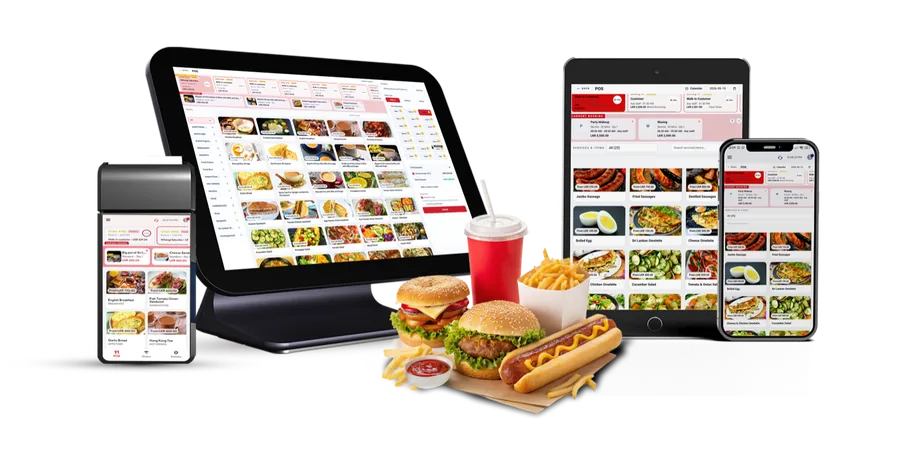
From our humble beginnings to industry leadership, discover the journey that shaped our passion for innovation
Get StartedFast and user-friendly billing interface designed for quick transactions and smooth checkout experience.

Give smart insights, recommendations, & predictions using business data such as sales, customers & inventory.

Staff can create a new table reservation by entering customer details and booking information.

Track all income and expenses, manage daily cash flow, monitor profits, and generate detailed financial reports to keep your business's finances accurate.

Run your business from anywhere with a fully responsive POS on mobile and tablets.
Flexible packages built for restaurants, cafés, and food businesses. From single-outlet startups to multi-branch operations.
Rs. 2,500/ month
Rs. 30,000/ year
+ Rs. 50,000 one-time setup fee
50% OFF setup fee — save Rs. 25,000
Best for small restaurants, cafés & startups
Features :
Rs. 5,000/ month
Rs. 60,000/ year
+ Rs. 50,000 one-time setup fee
50% OFF setup fee — save Rs. 25,000
Best for growing restaurants & multi-staff teams
Features :
Everything in Basic, plus:
Rs. 8,000/ month
Rs. 96,000/ year
+ Rs. 50,000 one-time setup fee
50% OFF setup fee — save Rs. 25,000
Best for large & multi-branch restaurants
Features :
Everything in Pro, plus:
Smart POS tools that connect orders, kitchen operations, billing, and reports in one seamless system.
Process sales quickly with fast billing and flexible payment options.
Features
Track stock levels, manage products, and get low stock alerts.
Features
Store customer details and track purchase history easily.
Features
Control staff access with roles and monitor daily activities.
Features
Access real-time reports to track sales and business performance.
Features
Manage multiple locations from one centralized dashboard.
Features
Works seamlessly with POS printers, cash drawers, and other devices.
Features
Our POS system is fully responsive and optimized for desktop, tablet, and mobile devices — giving your team the flexibility to manage operations anytime, anywhere.

| Features | Basic | Pro | Elite |
|---|---|---|---|
| POS screens | 2 | 3 | 6 |
| Web POS (browser) | |||
| Hybrid Windows app (offline) | – | ||
| Hybrid Android app (offline) | – | – | |
| POS access | |||
| Inventory (ingredients, suppliers, GRNs, stock) | |||
| Meals (menu, pricing, modifiers) | |||
| Tables | |||
| Reservations | – | ||
| Orders (dine-in, pickup, delivery) | |||
| Manager dashboard (full history) | |||
| Staff management | |||
| HRM (payroll, advances, commissions) | – | ||
| Basic settings | |||
| Account summary | |||
| Books (cash & bank) | |||
| Daily book | |||
| Create books | – | ||
| Book transfers | – | ||
| Chart of accounts | – | – | |
| Journals (double-entry) | – | – | |
| AI insights | – | ||
| AI questions | – | ||
| AI reports | – | ||
| AI charts | – | ||
| Monthly AI credits | 0 | 50 | 100 |
Our friendly team would love to hear from you.
We'll be in touch within the next 24 hours to arrange your personalized demo.
Everything you need to know about running your restaurant, café, or cloud kitchen on PopitCart. Still have a question? Talk to our team.
Get in touchA restaurant POS system manages your entire front-of-house and kitchen workflow — taking dine-in, takeaway, and delivery orders, sending them to the kitchen (KOT), splitting or merging bills, and processing payments — while tracking sales, ingredients, and staff in one place.
Yes. You can manage tables and reservations, assign orders to each table, send Kitchen Order Tickets (KOT) straight to the kitchen, and split or merge bills — built specifically for dine-in, takeaway, and delivery service.
Yes. Depending on your plan you can run multiple POS screens at once — Basic supports 2, Pro supports 3, and Elite supports 6 — so your cashier, kitchen, and service counters stay in sync in real time.
Yes. PopitCart is a hybrid system, so you can keep taking orders and billing even during an internet outage. Everything syncs automatically once you are back online, with no data loss.
It works with POS receipt printers, kitchen printers, cash drawers, and tablets — everything you need to run counter and kitchen operations smoothly.
Plans start at Rs. 2,500/month (Basic), Rs. 5,000/month (Pro), and Rs. 8,000/month (Elite), plus a one-time setup fee of Rs. 50,000. Choose annual billing and get 50% OFF on the setup fee.
Ayubowan! 🙏 How would you like to view PopitCart?