
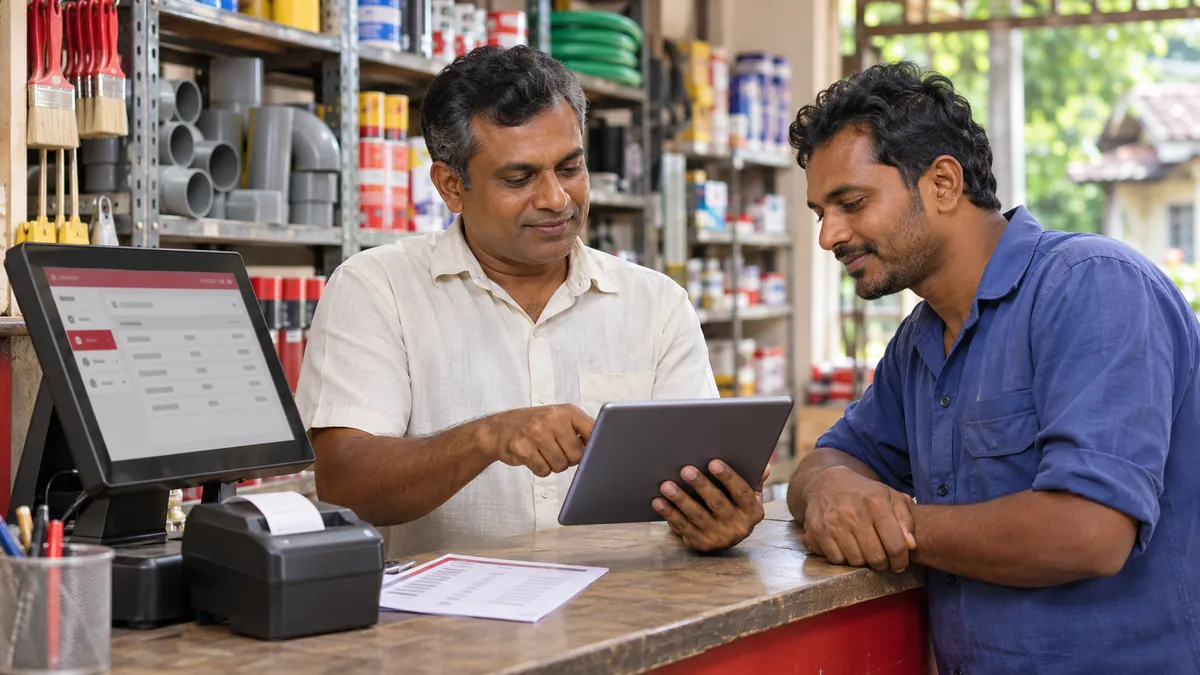
A regular customer collects goods today and promises to pay next week. Another pays part of an old bill, while a contractor returns items from an earlier order. If these movements live in separate notebooks, receipts, and spreadsheets, finding the correct balance becomes difficult.
Customer credit management with POS software brings those records into a customer ledger: what was sold on credit, what has been paid, what has been credited back, and what remains outstanding. For Sri Lankan shops, this can replace the daily work of maintaining a handwritten naya potha, while keeping the supporting history accessible.
This guide explains a practical workflow for using a POS system in Sri Lanka to manage shop credit. Good records help you make informed decisions; collecting payment still depends on clear terms, accurate entry, and consistent follow-up.
What Does Customer Credit Mean in a POS System?
A customer credit sale happens when goods or services are supplied with an agreed amount payable later. It differs from a credit card transaction, where a payment is processed at checkout. It also differs from a credit note, which can reduce an existing amount owed after an approved return or adjustment.
A useful digital credit book connects each transaction to the correct customer and source document. Staff should be able to explain a balance from its history rather than seeing only an editable total.
- Credit invoice: the sale and its unpaid amount.
- Payment receipt: the amount received and the debt it settles.
- Applied credit: an approved reduction linked to the relevant account or invoice.
- Account statement: the customer's movements and balance over a stated period.
- Overdue report: unpaid amounts grouped using a defined ageing basis and report date.
1. Create One Reliable Account for Each Customer
Before the first credit sale, select or create the right customer profile. Keep a stable account reference, customer or business name, relevant contact details, and the agreed billing contact. A name alone is a weak identifier: two customers may share it, and a contractor may buy for more than one business.
Search before creating a new account. Duplicate profiles split payments and invoices across different balances, making a customer appear to owe more or less than they really do. Confirm who is responsible for an account before combining records or changing its identity.
For existing debts, reconcile the opening balance with invoices, payment receipts, and the old credit book. Record the as-of date and approval. Our Excel to POS migration guide explains how to preserve source records and check balances before a changeover.
2. Agree on Credit Limits and Payment Terms
A credit limit controls how much a customer may owe under your policy. Payment terms determine when a bill becomes due. These are separate decisions: a customer can be below the limit and still have an overdue invoice.
Record the terms agreed with the customer and decide who may approve exceptions. For example, a business might use a particular account limit and a payment period measured from each invoice date. Choose amounts and periods for your own business rather than treating a sample as a recommendation.
During setup, check whether the POS gives a warning, blocks further credit, or requires a manager override when a rule is breached. Test how outstanding invoices, new sales, unapplied payments, and credits affect available credit. Confirm which permissions and exception history are available in the selected package.
3. Record the Sale Against the Correct Customer
At checkout, verify the account, goods, quantities, prices, payment received, unpaid amount, and due date. Give the customer a document showing what was supplied and what remains payable.
Suppose a bill totals Rs. 12,000 and the customer pays Rs. 4,000 immediately. The remaining amount owed is Rs. 8,000. Use the supported split-payment or credit workflow so the sale total, amount received, and outstanding amount agree. Do not record the whole bill as cash received when some of it is still unpaid.
A credit sale still needs the correct stock movement for the goods supplied. Our barcode billing guide covers identifying the right products and units before a bill is completed.
4. Apply Later Payments Without Creating Another Sale
When the customer returns to pay, open the existing account and use the customer payment workflow. Record the amount actually received, date, payment method, reference, and the invoices it settles. A collection against yesterday's bill should not become another sale of the same goods.
Partial payment tracking should leave a clear remaining balance. Intuit's invoice-payment guidance illustrates the record-keeping principle of applying full or partial payments to outstanding invoices. The screens and allocation options in your POS may differ.
If several invoices are open, check the intended allocation rather than assuming the system chooses the right one. Issue a receipt and review the updated account. For bank transfers or cheques awaiting confirmation, follow your approved pending-payment process; ask how the system distinguishes a received instrument from a confirmed settlement and handles a reversal.
5. Keep Returns and Credits Separate from Money Received
A returned item may justify an approved credit against an unpaid invoice. It is not money collected from the customer. Link the adjustment to the original document and follow the supported approval and application process.
Check the stock outcome separately: a resalable return and a damaged item may need different treatment. Confirm that an applied credit and a cash refund do not both reduce the same debt by mistake. Preserve the reason, reference, and approval so another staff member can explain the adjustment later.
If an account needs a correction, use the documented correction workflow with the person responsible for your books. Replacing a balance with a guessed number removes the evidence needed to resolve the next question.
A Simple Customer Credit Ledger Example
The following illustration uses one customer and Sri Lankan rupees. Positive amounts increase what the customer owes; payments and applied return credits reduce it. These are sample transactions, not an actual customer account.
| Movement | Change | Outstanding balance |
|---|---|---|
| Approved opening balance | Rs. 5,000 | Rs. 5,000 |
| New invoice, fully unpaid | + Rs. 12,000 | Rs. 17,000 |
| Confirmed payment applied | − Rs. 4,000 | Rs. 13,000 |
| Approved return credit applied | − Rs. 1,500 | Rs. 11,500 |
| Further payment applied | − Rs. 6,500 | Rs. 5,000 |
For this example: opening balance + new unpaid credit sales − applied payments − applied credits = closing balance. Any other approved corrections must also be accounted for. Check each customer's supporting movements as well as the total across all accounts.
6. Review Statements and Overdue Balances
A customer statement explains the account; a payment receipt confirms a particular payment. Use the right document for the question. Before sharing a statement, check the customer, reporting period, opening balance, invoices, payments, applied credits, and closing balance.
Outstanding means still unpaid. Overdue means an agreed due date has passed while an amount remains unpaid. A newly issued invoice can be outstanding without being overdue.
For an ageing report, verify the as-of date, whether ageing starts at the invoice date or due date, and how credits or unallocated payments appear. If you use buckets such as current, 1–30, 31–60, 61–90, and 91+ days overdue, confirm that their boundaries match the actual report. Do not assume a “30 days” label has the same meaning in every system.
Prioritise accounts that need investigation or contact, and compare the totals with the underlying invoices. A disputed return or a payment posted to the wrong account needs correction before another reminder is sent.
7. Follow Up with Accurate, Clear Payment Reminders
Check the latest ledger before contacting a customer. Use the agreed contact person and suitable communication channel. Include the business name, relevant invoice reference, amount still due, due date, and a way to raise a query.
A simple reminder might say: “Our records show an unpaid balance on invoice [reference], due on [date]. Please contact us if you have already paid or need the statement reviewed.” Fill in only verified details and avoid sending another customer's information.
PopitCart's published billing and wholesale content describes reminders and customer statements. Confirm whether your intended SMS or WhatsApp workflow is manual, scheduled, or automatic, and what setup, charges, or package requirements apply. A reminder feature supports follow-up; it does not guarantee payment.
Build Credit Checks into the Shop's Routine
- During each shift: verify the customer before credit sales and payment entry, and give the correct document.
- At day end: compare recorded collections with cash and confirmed payment evidence; investigate duplicate, missing, reversed, or unallocated entries.
- Each week: review overdue invoices, disputed balances, approved exceptions, and follow-up notes.
- When access changes: review who can edit terms, approve credit, adjust balances, or view customer records.
For multiple branches, test a sale in one branch and payment in another. Ask how pending updates, simultaneous activity, and offline operation affect shared balances and limit enforcement. Agree how staff will proceed when the displayed balance may be out of date.
If you are replacing notebooks or Excel, choose a clear changeover time. Keep the originals and agree whether historical invoices or opening positions will establish the debt. Loading both without an agreed method can count the same amount twice.
What to Check in a PopitCart Demonstration
The billing software page describes customer profiles, limits, partial settlements, receipts, reminders, and aged receivables reports. The retail POS and wholesale POS pages explain related shop and trade-account workflows.
Ask the team to demonstrate the complete example in this article, including a mistake and its approved correction. Check how a statement is produced, an overdue invoice is identified, a credit limit is enforced, and an exception is recorded. Review current POS packages and confirm the features, applications, setup, messaging, and support needed for your operation.
Frequently Asked Questions
What is customer credit management in a POS system?
It is the process of linking credit sales, later payments, approved credits, and outstanding balances to individual customer accounts. A digital ledger helps staff see what a customer owes and which invoices remain unpaid. It is different from accepting a credit card payment.
Can a customer pay only part of an outstanding bill?
Yes. PopitCart describes partial credit settlements with receipt printing and updated ledger balances. Record the amount actually received against the correct customer and invoice allocation, then check the remaining balance. Confirm the exact workflow in your chosen package during a demonstration.
Does receiving payment for an old invoice create another sale?
No. A later payment settles an existing amount owed. Record it through the supported customer payment workflow and link it to the original debt. Entering another sales bill for the payment can duplicate sales and may incorrectly affect stock.
What is the difference between outstanding and overdue credit?
Outstanding credit is the amount still unpaid. Overdue credit is the unpaid amount whose agreed due date has passed. Check the report date and whether ageing uses invoice dates or due dates before interpreting the buckets.
Can I replace my handwritten naya potha with POS software?
Yes, with a checked changeover process. Preserve the original book, identify each customer, reconcile and approve opening balances, and confirm how the target system accepts those records. Avoid loading an opening balance and the same unpaid historical invoices in a way that counts the debt twice.
Will customer credit limits work across branches while offline?
That depends on the application, connectivity, synchronisation, and credit-control settings. Ask for a demonstration of concurrent sales, payments, pending updates, and limit enforcement across your branches. Do not assume an offline terminal always has the latest shared balance.
How can I see PopitCart customer credit features?
Contact PopitCart on 011 268 7645 or use the contact page. Request a demonstration covering a credit sale, partial settlement, receipt, return credit, statement, overdue report, and credit-limit override. Confirm package availability, setup, and messaging requirements for your business.
Make Every Customer Balance Explainable
A reliable digital naya potha connects each balance to the sales, payments, and approved credits behind it. Start with checked opening records, enter transactions consistently, and review overdue accounts before following up.
Explore PopitCart POS software or request a customer credit demonstration. Call 011 268 7645 to discuss your shop's credit sales and collection workflow.