
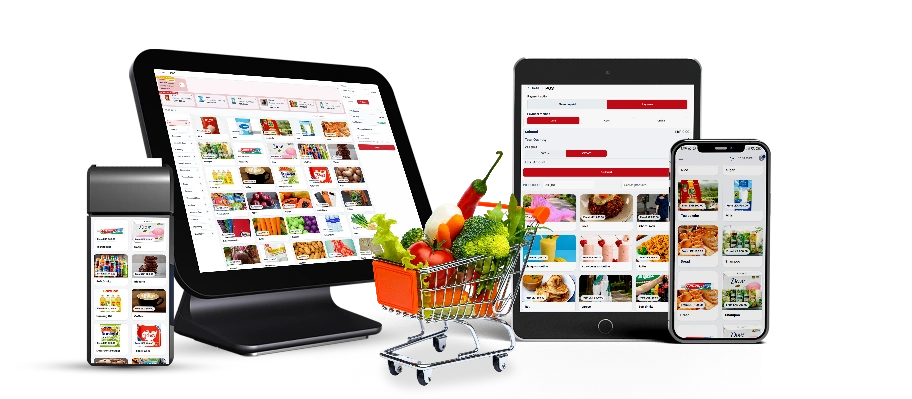
Choosing a POS system provider in Colombo is a decision about how your business will run every day. Your cashier needs to serve the next customer quickly. Your manager needs stock figures that reflect actual sales. You need to understand the day's takings without checking several notebooks after closing.
Whether you manage a retail counter in Borella, a wholesale shop in Pettah, a restaurant in Bambalapitiya, or a salon in Nugegoda, the right point of sale system should connect those tasks. PopitCart brings billing, inventory, customer records, and business reporting into one platform, with dedicated solutions for different industries.
This guide explains what to look for in a Colombo POS supplier, how PopitCart fits different businesses, and which costs and setup details to confirm before you commit.
What Should a POS System Do for a Colombo Business?
A basic cash register records a sale. A connected POS system also records what was sold, which staff member handled it, how the customer paid, and what remains in stock. Those connections help you answer practical questions: Which products need reordering? Why is the cash drawer short? Which branch has the item a customer wants?
Start with the tasks that create the most work in your shop. For a grocery store, that may be barcode checkout and stock control. For a restaurant, it may be sending orders to the kitchen. A wholesaler may need customer credit records and bulk billing. Choose software around those tasks before comparing screen sizes or headline prices.
Why Consider PopitCart as Your POS Provider in Colombo?
1. Billing and Inventory in the Same Workflow
PopitCart's retail POS system combines barcode billing, product management, stock tracking, customer records, and sales reports. Your team can handle the counter while managers review the information needed to replenish stock and follow daily performance.
For example, selling a product should update the stock record as part of the transaction. Recording a return should follow an agreed process, with the correct effect on the bill, payment, and inventory. Ask the demo team to show both steps using a product from your own shop.
2. Cloud Access with Offline App Options
Cloud access helps owners review their business away from the counter. Offline operation addresses a different need: continuing local billing when the internet connection fails. PopitCart Pro includes a hybrid Windows application, while Elite also includes a hybrid Android application.
Confirm the application and package your counter requires, then test a disconnected sale, receipt printing, and synchronization after reconnection. If electricity fails, the terminal and printer still need a suitable UPS or other backup power. Plan for internet interruptions and electrical outages separately.
3. Tools for Staff Accountability and Daily Reporting
A growing business needs clear staff permissions as well as fast checkout. PopitCart provides staff accounts and permission controls alongside daily sales and product reports. Configure who may change prices, issue discounts, process returns, and view financial information according to each person's responsibilities.
At closing time, make cash and payment reconciliation part of the routine. Comparing recorded transactions with actual collections gives you a clear starting point for investigating differences. Ask which reports and controls are available in your chosen package.
4. A Colombo Contact for Demos and Setup
PopitCart lists its office at Axcertro (PVT) LTD, 222 Cotta Road, Borella, Colombo 08. You can discuss your counter layout, devices, software package, and onboarding requirements with the team before ordering.
If you are searching for a POS system near me in Colombo, use location as a starting point and then check the practical details. Agree on installation arrangements, training, support hours, remote assistance, and hardware warranty handling in writing. Confirm the support level included with your selected plan.
Choose POS Software Around Your Industry
Retail Shops, Groceries, and Supermarkets
Retail counters need straightforward barcode checkout, product search, stock visibility, and customer billing. PopitCart's shop billing and retail POS software connects those daily activities. During your demo, test a normal sale, an item discount, a returned item, and the report you will use at closing.
Restaurants, Cafés, and Food Businesses
A restaurant needs to move an order from the table to the kitchen and then to settlement. Explore PopitCart restaurant POS software for table management, Kitchen Order Tickets (KOT), and restaurant billing. Confirm the package, number of printers, and routing needed for your kitchen and bar.
Salons, Spas, and Service Counters
A salon visit may combine a treatment, a staff commission, and a product sale. The salon and spa POS solution addresses appointments, customer records, services, and related stock. Demonstrate a complete visit rather than only a product checkout.
Wholesalers and Hardware Businesses
Bulk quantities, trade customers, and credit sales need different controls from a simple retail counter. Review wholesale and warehouse POS software for your dispatch and stock workflow. Hardware shops should also read our hardware store POS guide and test their actual selling units and customer credit process.
If stock accuracy is your main concern, see the inventory management system. If your immediate priority is invoices and payment records, start with billing software. The demo should establish which combination fits your operation.
POS System Price in Colombo: Understand the Complete Cost
Compare the first year's total cost rather than the monthly subscription alone. A complete setup can include software, onboarding, a terminal, a receipt printer, a scanner, a cash drawer, and backup power. Existing equipment may reduce the hardware you need, provided it is compatible.
As of 16 November 2026, PopitCart's published software prices are:
- Basic: Rs. 2,500 per month, or Rs. 30,000 per year.
- Pro: Rs. 5,000 per month, or Rs. 60,000 per year. Includes the hybrid Windows app.
- Elite: Rs. 8,000 per month, or Rs. 96,000 per year. Also includes the hybrid Android app.
The listed one-time setup fee is Rs. 50,000. Annual billing gives 50% off the setup fee, reducing that fee to Rs. 25,000. Hardware is separate. Check the current packages and request a written quotation confirming taxes, delivery, installation scope, and any additional services.
For illustration, Pro on annual billing is Rs. 60,000 for the subscription plus Rs. 25,000 for discounted setup: Rs. 85,000 for first-year software and setup, before hardware and any applicable taxes or additional services. This is a cost calculation from the listed rates, not a complete installed-system quotation.
Our POS system price guide explains the wider budgeting questions. Use a current quotation for your purchasing decision.
Which POS Hardware Do You Need?
Match the equipment to the work at each counter. A compact shop may be able to reuse a suitable computer, while a busy checkout may benefit from a dedicated touch terminal. Restaurants may need additional kitchen printers and network connections.
- Computer or touch terminal: confirm operating-system compatibility, available ports, and the app required by your plan.
- Thermal receipt printer: check paper width, USB or network connection, and receipt layout.
- Barcode scanner: test the labels you sell, including small or damaged packaging where relevant.
- Cash drawer: check how it connects and how authorized staff open it.
- Backup power and networking: size the UPS for the devices that must keep working and check printer connectivity.
Browse complete POS hardware bundles or compare individual POS devices. Share the model numbers of existing equipment so the team can check compatibility before you buy replacements.
A Practical Checklist for Comparing Colombo POS Suppliers
Give each supplier the same short demonstration brief. Comparing the same tasks makes it easier to judge usability, package limits, and the completeness of a quotation.
- Bring sample products: include a normal item, a variant, and any product sold by weight or length.
- Run the complete sale: scan items, apply an authorized discount, take payment, and print the receipt.
- Process a return: inspect how the sale, stock, and payment records change.
- Check stock control: demonstrate a purchase receipt, stock adjustment, and low-stock report.
- Test interruptions: disconnect the internet on the intended app and check the recovery process.
- Review access and reports: log in as a cashier and a manager, then reconcile a sample day's payments.
- Confirm the handover: agree on data preparation, training, support, data export, and hardware warranty arrangements.
The best POS system for your Colombo business is the one that handles these tasks clearly, within a budget and support arrangement you understand. A live workflow test provides more useful evidence than an unsupported ranking.
How to Get Started with PopitCart in Colombo
First, list your business type, number of branches, active counters, products, and existing devices. Add the problems you want to solve, such as slow billing, missing stock, or time spent preparing daily reports.
Next, book a free PopitCart demo. Ask the team to demonstrate your main workflow and confirm the software package, compatible hardware, and installation scope. Before going live, prepare your product list and opening stock, check receipt details, and train the staff who will use the system.
Finally, run a controlled opening-day check: make a sale, issue a return, count the cash, and compare the reports. Agree on who to contact if a cashier or manager needs help.
Frequently Asked Questions About POS Systems in Colombo
How do I choose the best POS system provider in Colombo for my business?
Compare providers using your own products and daily tasks. Test billing, returns, stock updates, cashier permissions, receipt printing, and end-of-day reports. Ask for a written quote covering software, setup, hardware, training, and support. The best fit depends on your business type, counter count, and branch requirements.
How much does a PopitCart POS system cost in Colombo?
As of 16 November 2026, published software subscriptions are Rs. 2,500 per month for Basic, Rs. 5,000 for Pro, and Rs. 8,000 for Elite. The listed one-time setup fee is Rs. 50,000, with 50% off setup on annual billing. Hardware is quoted separately; confirm taxes, delivery, and any additional services in your written quotation.
Can PopitCart keep billing when the internet disconnects?
PopitCart Pro includes a hybrid Windows application, and Elite also includes a hybrid Android application for offline operation. Confirm the required device and plan during your demo and test billing, receipt printing, and synchronization. Computers, printers, and network equipment still need electricity; offline software does not replace backup power.
Can I use my existing receipt printer and barcode scanner?
PopitCart supports POS printers, barcode scanners, and cash drawers. Share the exact model, connection type, and operating system with the team before purchasing. Test a receipt, barcode scan, and cash-drawer opening on the equipment you intend to use.
Does PopitCart have POS systems for restaurants, salons, and wholesale shops?
Yes. PopitCart offers dedicated retail, restaurant, salon and spa, and wholesale POS solutions, alongside billing and inventory management software. Ask for a demonstration of your specific workflow and confirm which features are included in the selected package.
Where can I contact a PopitCart POS provider in Colombo?
Call 011 268 7645, email hello@popitcart.com, or request a demo through the PopitCart contact page. The listed office is Axcertro (PVT) LTD, 222 Cotta Road, Borella, Colombo 08. Arrange your visit or installation appointment with the team in advance.
Find a POS Setup That Fits Your Colombo Business
A useful POS investment brings your counter, stock, and daily reporting together. PopitCart offers industry-specific software, published subscription options, and a Colombo team you can contact to discuss your requirements.
Ready to see your workflow in action? Request a free demo, call 011 268 7645, or email hello@popitcart.com. Tell us what you sell, how many counters you run, and which tasks you want to improve.